Your wellness spend. Verified. Optional HSA.
Slynk gives employers an outcome-based wellness spending account. Employees complete wearable-verified goals, unlock employer-funded rewards, and spend them without receipts. If you need traditional HSA administration too, it is built in.
Outcome-Based Spending + Employer Controls
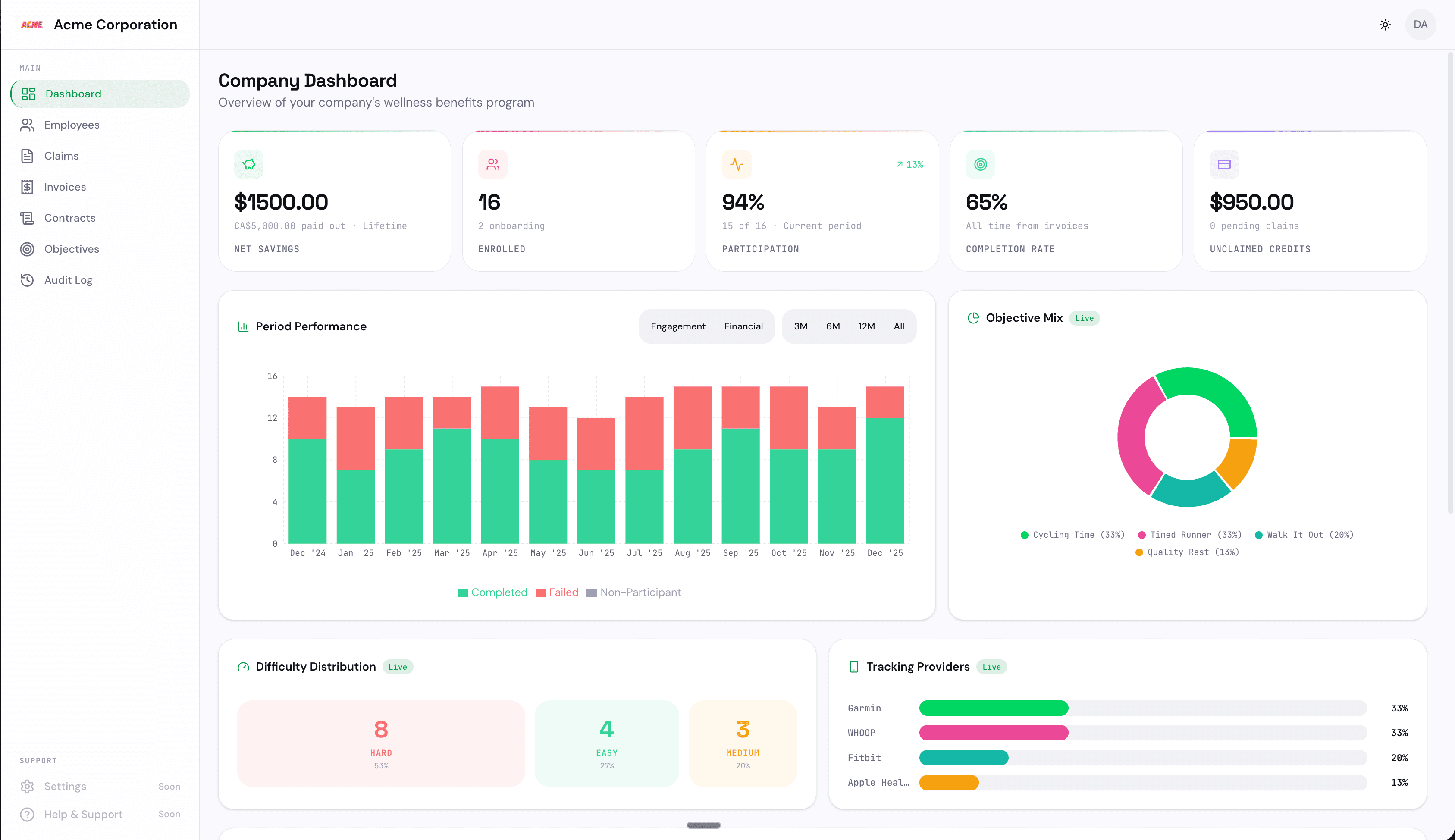
Run verified monthly challenges, fund rewards only when goals are completed, and monitor engagement from one employer workspace.
Verified Challenge Engine
Set company-approved goals, reward amounts, and monthly cycles employees can actually stick to
Employee Reward Wallet
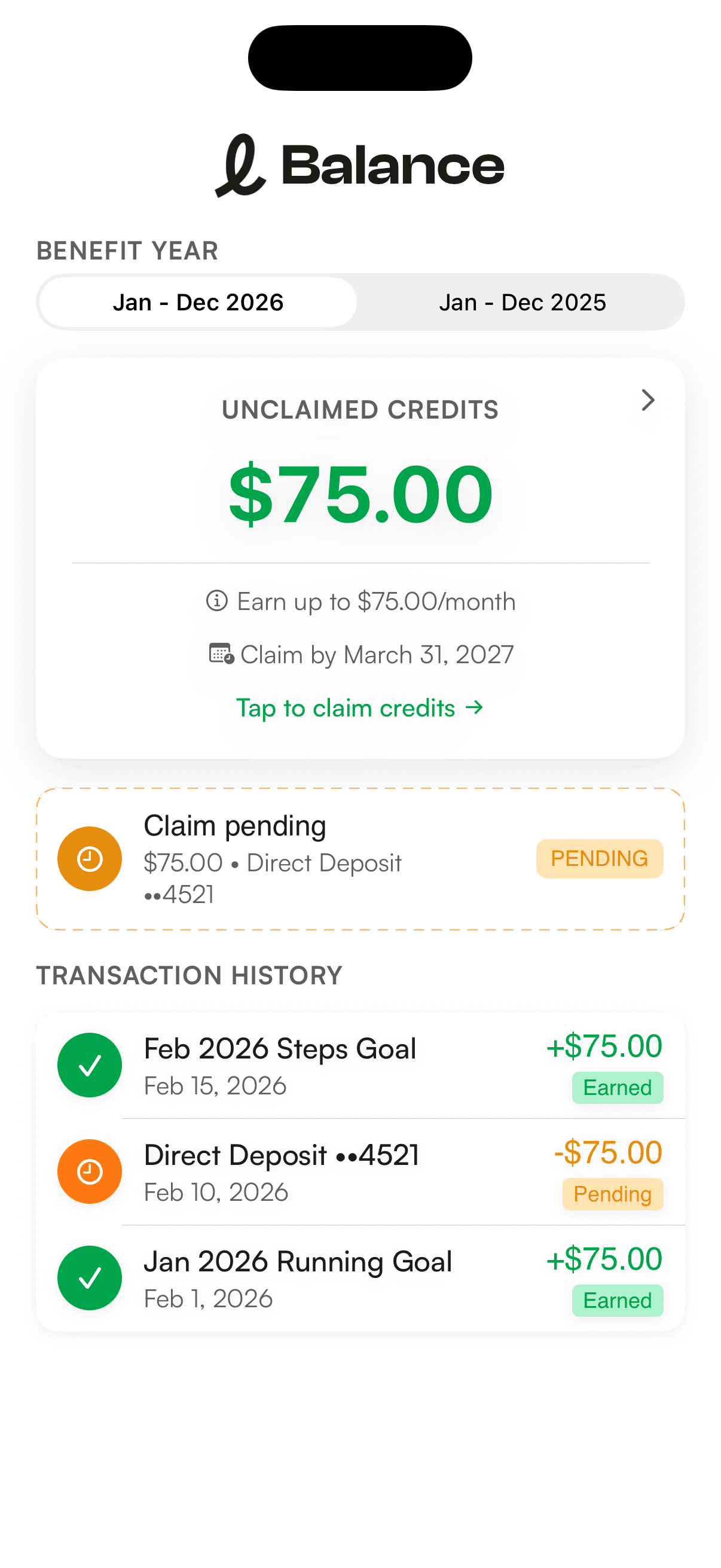
Employees see what they have unlocked and spend earned funds without receipts or reimbursement workflows
Employer Reporting
Track participation, completion, unlocked payouts, and trend lines across your organization
Built Around Real Life, Not Perfect Behavior
Slynk does not assume everyone trains for marathons or tracks macros daily. Objectives are designed around routines people can actually maintain.
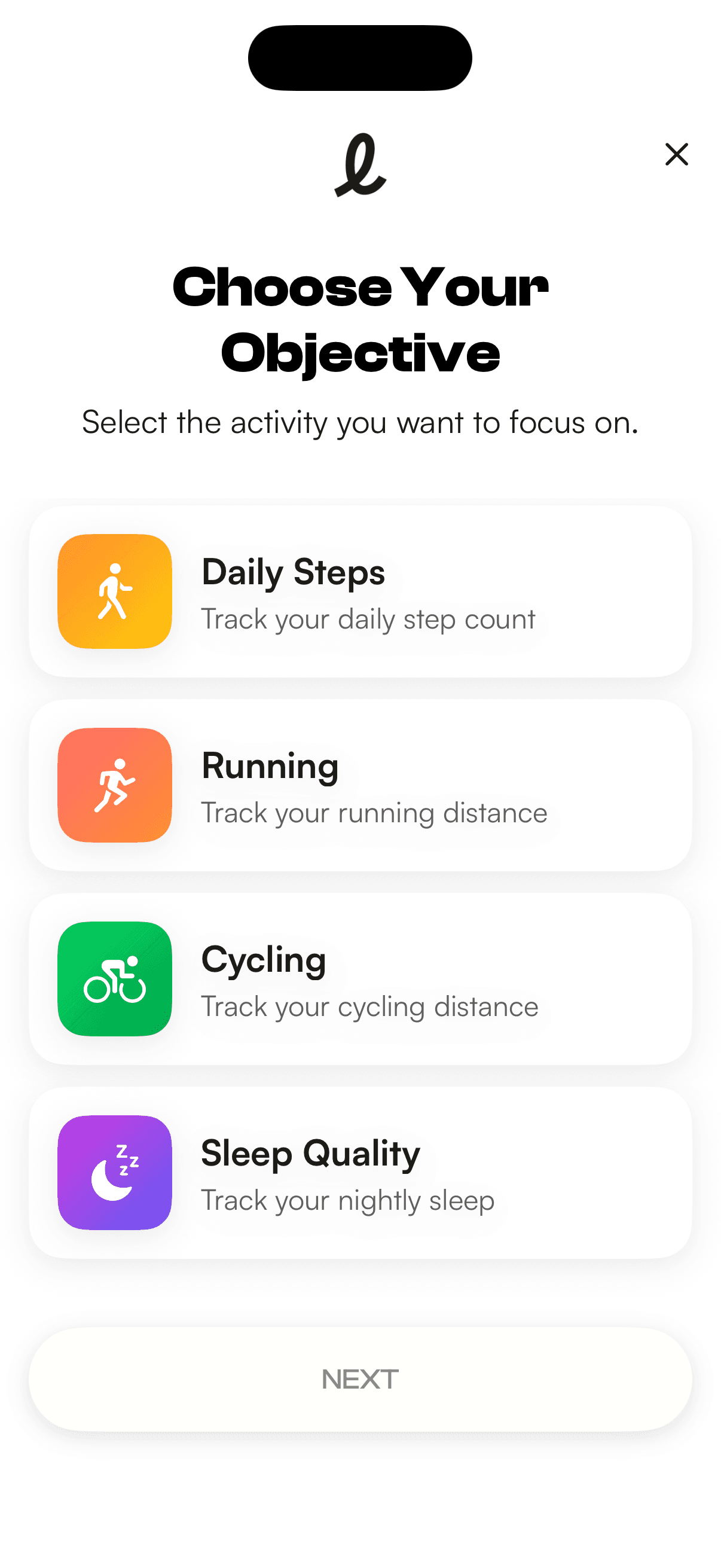
Today the core objective types are walking, running, cycling, and sleeping. We are actively expanding supported objectives and adding new provider coverage as integrations evolve.
The Verification Pipeline
Four stages from enrollment to verified outcome, with clear rules and auditable records.
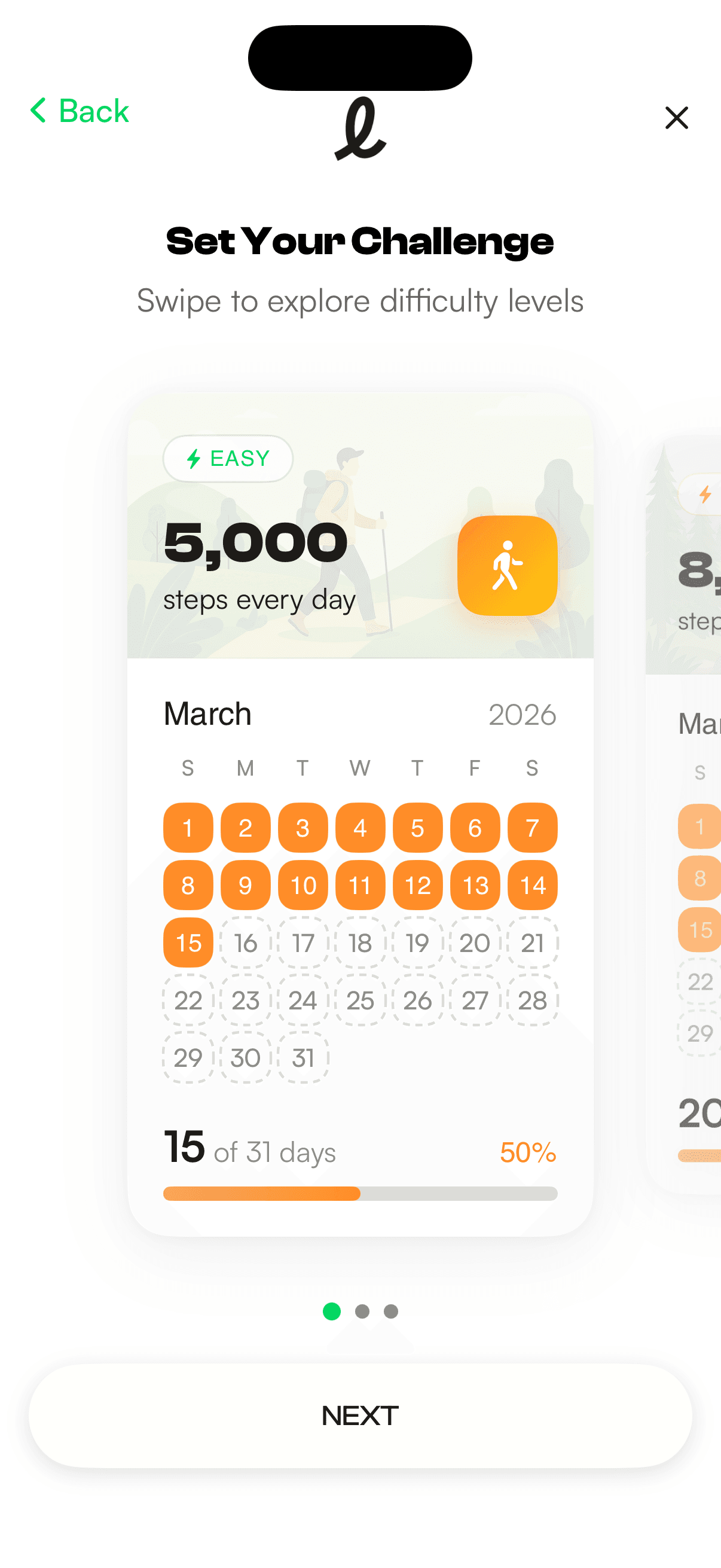
Choose an Objective
Employees choose a challenge and difficulty from company-approved options. Goals are clear up front, and the target is locked for the period once selected.
Connect a Data Source
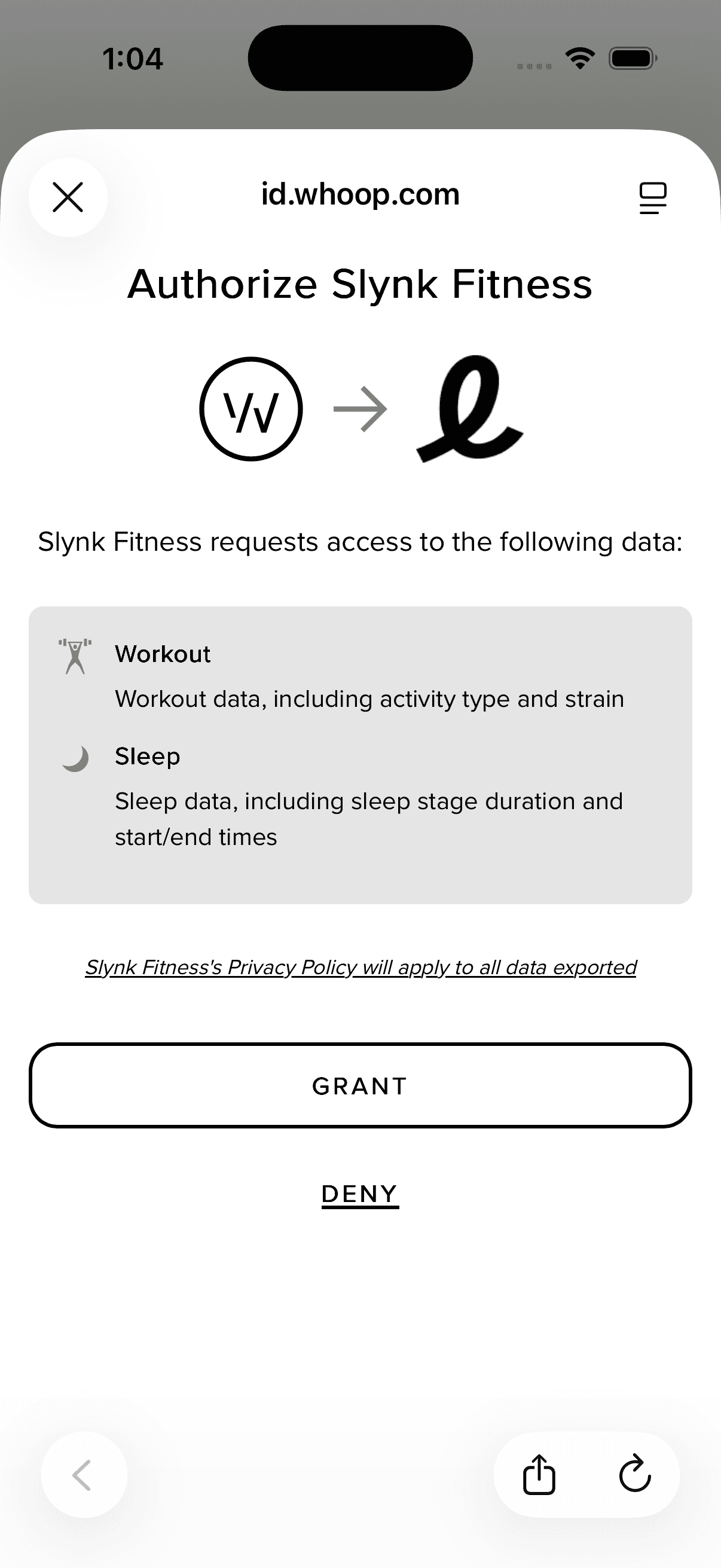
After choosing an objective type, employees connect a tracking source with read-only access. Apple Health can be shared directly from the app, and supported cloud providers connect through OAuth where available. Each objective type has its own list of supported providers.



Track and Evaluate Progress
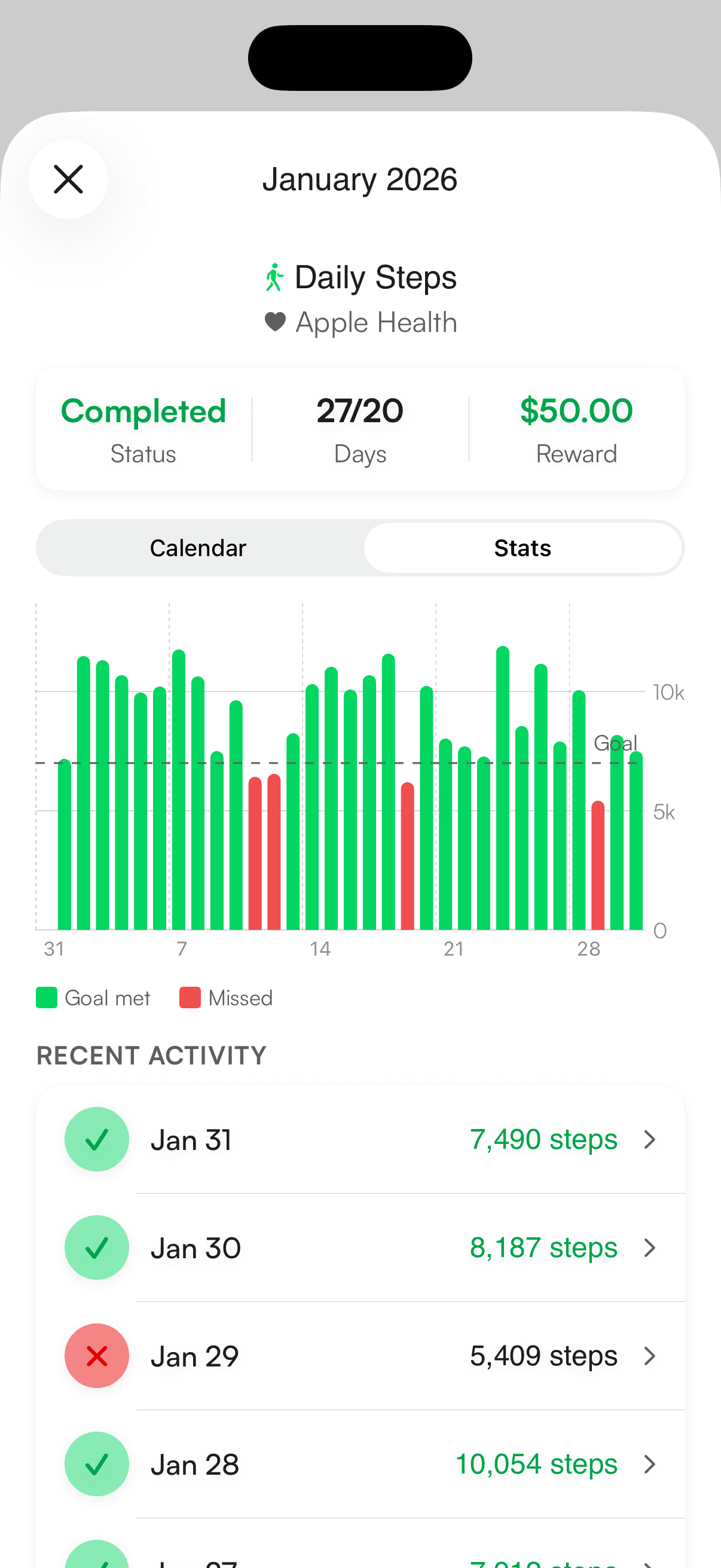
Slynk normalizes activity into daily records and evaluates progress against the selected objective rules. Results remain attributable to provider and period.
Finalize Outcome
At period close, outcomes resolve to completed or not completed. Completed objectives unlock the employer-funded reward; unsuccessful outcomes leave that budget with the employer.
Privacy by Architecture, Not by Promise.
Data scoping is enforced by role and system boundaries. Each layer gets access only to the data needed for its job.
Employee Device
PrivateEmployees control what they share from connected sources and can revoke permissions at any time.
Slynk Verification
InternalSlynk processes activity required for objective evaluation and stores the records needed for progress, payouts, and audits.
Employer Dashboard
Employer ViewEmployers see aggregated metrics only — participation rates, completion percentages, and unlocked reward totals.
Outcome-Based Spending + Employer Controls
Run verified monthly challenges, fund rewards only when goals are completed, and monitor engagement from one employer workspace.
Set company-approved goals, reward amounts, and monthly cycles employees can actually stick to
Employees see what they have unlocked and spend earned funds without receipts or reimbursement workflows
Track participation, completion, unlocked payouts, and trend lines across your organization
Outcome-Based Spend.
Optional HSA.
One Platform.
See how Slynk turns wellness budget into verified outcomes while keeping HSA administration available for teams that still need it.
Optional HSA platform available with the same 10% administration model on claimed receipts.